Learn how ITDR helps enterprises detect credential threats, prevent account takeover, protect privileged access, and strengthen identity infrastructure.
Attackers rarely smash through the front door these days. They log in. A stolen password, a hijacked session token, an over-permissioned service account, and suddenly an intruder looks exactly like an employee. Firewalls and endpoint tools were never built to question that. This is the gap that Identity Threat Detection and Response (ITDR) exists to close, and for security leaders it’s fast becoming a core part of enterprise identity protection.
This post covers what ITDR is, how it spots trouble, and how to put it to work across your identity stack.
ITDR is a security discipline built to find and stop attacks that target identities, the systems that manage them, and the permissions attached to them. Think directory services, identity providers, single sign-on, and the accounts that hold the keys to critical data.
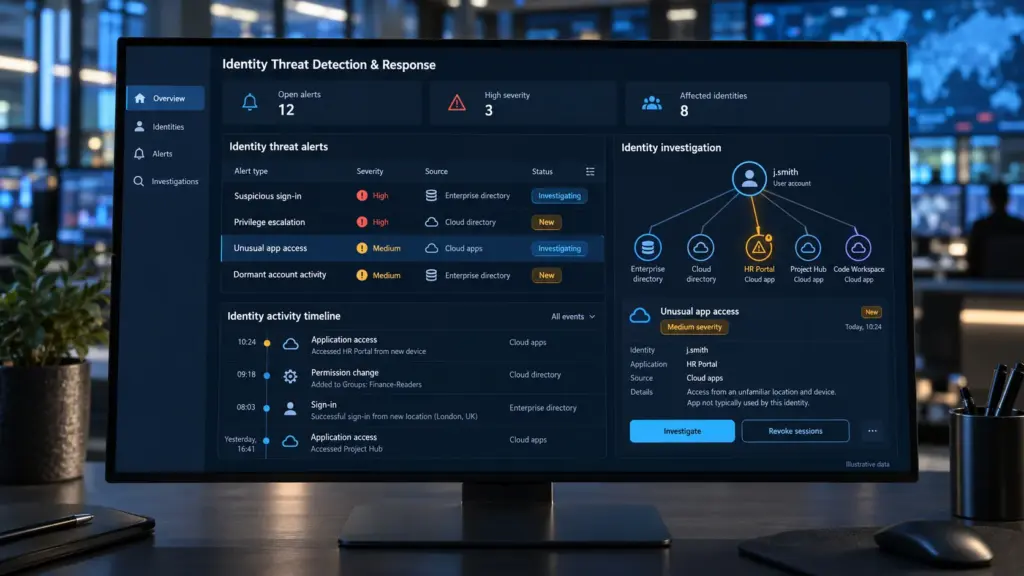
Traditional tools watch networks and devices. This one watches identity behavior. It pulls signals from authentication logs, directory changes, and access requests, then looks for patterns that suggest misuse. When something looks off, it alerts the team or acts on its own, by forcing re-authentication, disabling an account, or revoking a session.
That matters because identity is now the main attack surface. Credentials are cheap to steal, easy to buy, and hard to tell apart from legitimate use.
Your identity layer is a single point of leverage. Compromise it and an attacker doesn’t need malware or exploits. They just need a valid session.
Active Directory security is the clearest example. Most large enterprises still rely on Active Directory, directly or through hybrid setups, to decide who can access what. Attackers know this. Techniques like Kerberoasting, DCSync, and golden ticket forgery let them move from one stolen account to domain-wide control without making much noise.
Cloud widens the problem. Every SaaS app, API key, and machine identity adds another way in. Standard IAM security controls such as MFA, role design, and lifecycle management reduce risk, but they’re preventive. They don’t tell you when someone has already slipped past them. That’s the blind spot ITDR fills.
Effective credential threat detection starts with a baseline. The platform learns how each user, device, and service account normally behaves: usual locations, working hours, applications, and privilege use. Deviations stand out fast.
Common signals include:
Detecting suspicious login activity on its own produces noise. Context is what makes it useful. A login from a new country might be a traveling executive or an attacker. What the account does next, like mass file access or a sudden privilege change, settles the question. That’s how solid unauthorized access detection cuts false positives while still catching the real thing early.
Privileged accounts are where a breach turns into a crisis. Domain admins, cloud root users, and service accounts with broad rights can disable logging, copy data, and plant persistence in minutes. Privileged access protection means treating these identities as the highest-risk assets you own.
ITDR supports that by monitoring privileged activity continuously instead of at quarterly reviews. It flags dormant admin accounts that suddenly wake up, escalations outside change windows, and service accounts used interactively. Paired with a PAM tool, which vaults credentials and controls sessions, it adds the detection layer PAM lacks. PAM decides who gets in. ITDR watches what they do once inside.
Teams often ask how to prevent account takeover in businesses without slowing everyone down. The honest answer is layers, with detection sitting on top of prevention:
No single control wins here. Attackers only need one gap, so overlap is the point.
Begin with visibility. Inventory your identity providers, directories, and privileged accounts, then confirm you’re actually collecting the logs that matter. Many teams discover blind spots in this first step alone.
Next, tune detections to your environment. Out-of-the-box rules are a start, but your baseline of suspicious login behavior will look different from the next company’s. Run a pilot on your highest-risk group, usually administrators, and measure how quickly alerts turn into action. Then build response playbooks so the team knows exactly what happens when an alert fires at 2 a.m. Start small, learn fast, then widen the rollout with confidence.
Identity attacks aren’t slowing down, and the tools to meet them are finally mature. The organizations that treat identity as monitored infrastructure, not just a login screen, are the ones that catch intruders while they’re still exploring.
It’s a security approach that detects and responds to attacks aimed at identities and identity systems. It monitors authentication, directory activity, and permissions to catch misuse that traditional network and endpoint tools tend to miss.
It builds a behavioral baseline for every user and service account, then flags deviations like impossible travel, unusual privilege use, or repeated failures followed by success. Correlating those signals with follow-up activity keeps false alarms low.
IAM manages who has access, and PAM controls and vaults privileged credentials. ITDR sits alongside both and detects when those controls are being abused or bypassed. Prevention and detection, working together.
Combine phishing-resistant MFA, least-privilege access, regular cleanup of stale accounts, and hardened directories with continuous monitoring. Add automated response so a flagged account is contained in minutes, not days.
It watches admin and service account behavior in real time, flags escalations and dormant accounts coming back to life, and can trigger step-up authentication or session revocation when activity looks risky.